Practice Better AI ✨

We’re optimistic about the potential for AI to help health and wellness professionals have an even greater positive impact on their clients’ lives. We also recognize that this field of technology is new and evolving rapidly. Working with AI comes with many challenges and opportunities. So we’re approaching this work with consideration and care.

Read more about our commitments to our customers below. ↓

We believe that AI can power more human care.

We’re building the world’s first AI-empowered EHR because we believe that AI can empower humans to do what humans do best: help people live healthier lives.

What do we mean when we talk about AI?

AI is already woven into our daily lives. From spam filters in our inbox, to traffic predictions in our GPS tools, to the personalized suggestion in our streaming video feed, AI is already helping us work smarter, live better, and enjoy more of the things that we love.

AI is already powering advances in healthcare. AI helps us diagnose diseases with faster and more accurate image analysis. It powers wearable devices like Garmin, Fitbit, and Ouras that monitor health metrics, providing insights to users and helping them reach their health goals.

How does AI power more human care?

Health and wellness practitioners have increasingly started using AI to ease the burden of taking notes during client sessions, by using voice recognition software to transcribe conversations, summarize topics, and capture next steps.

That’s just one way in which AI is helping practitioners better serve their clients; AI listens closely and takes care of the manual data entry, while practitioners give their clients their full attention and expertise.

We believe we’re only at the very beginning of our journey with AI. There are many more ways we can be using AI to save time, prevent burnout, and help humans do what humans do best.

We’re building that future, right now, with you.

 We’re guided on our journey by some basic principles

Responsible

Responsible AI means we build AI into our tools and workflows based on ethics, not expediency. We believe that AI is best used to assist and accelerate human work where it’s helpful and transparent, and where its work can be checked and confirmed by human eyes.

“No client data is ever used to train models for Practice Better’s AI tool.”
Graeme Downes, Practice Better Cofounder and CTO

We’re guided by our Responsible Development Principles. We developed these principles to help us stay true to our core mission and values, even as we explore new and exciting ways to deliver on that mission for our customers.

Ethical

We’re committed to ensuring the well-being and trust of our customers, their clients, and our partners. We’re dedicated to walking this path in a way that upholds our responsibilities and ensures that the integration of AI into our platform is both seamless and beneficial.

“Rest assured that your data, whenever you’re doing a Telehealth session, is not used to inform the Telehealth session of another customer.”
Graeme Downes, Practice Better Cofounder and CTO
A screenshot that shows someone calling you on a mobile phone for your telehealth session. There are also logos on the side that depict which regulations Practice Better complies with, including HIPAA compliance, PIPEDA compliance, GDPR compliance, and PHIPA compliance.
A Practice Better product screenshot showing a variety of automation-based functions within Practice Better, including confirming booking requests, updating tags, and sending forms.

Supportive

We believe the best use of AI is as an assistant, or copilot, to help us do better as humans at what humans do best. We’re actively pursuing ways in which we can build the next generation of tools that will help more practitioners and clients live better lives.

Innovative

We’re leading the way as the #1 AI-powered EHR. We’re working hand in hand with forward-thinking practitioners who want to co-create a more client-centered future with us. We believe truly holistic care draws on whatever body of knowledge — or emerging technology — can help our clients and practitioners achieve their goals.

Frequently asked questions

What AI features does Practice Better have?

Practice Better offers a growing suite of AI-powered tools designed to reduce administrative overhead so practitioners can focus on what they do best: caring for their clients.

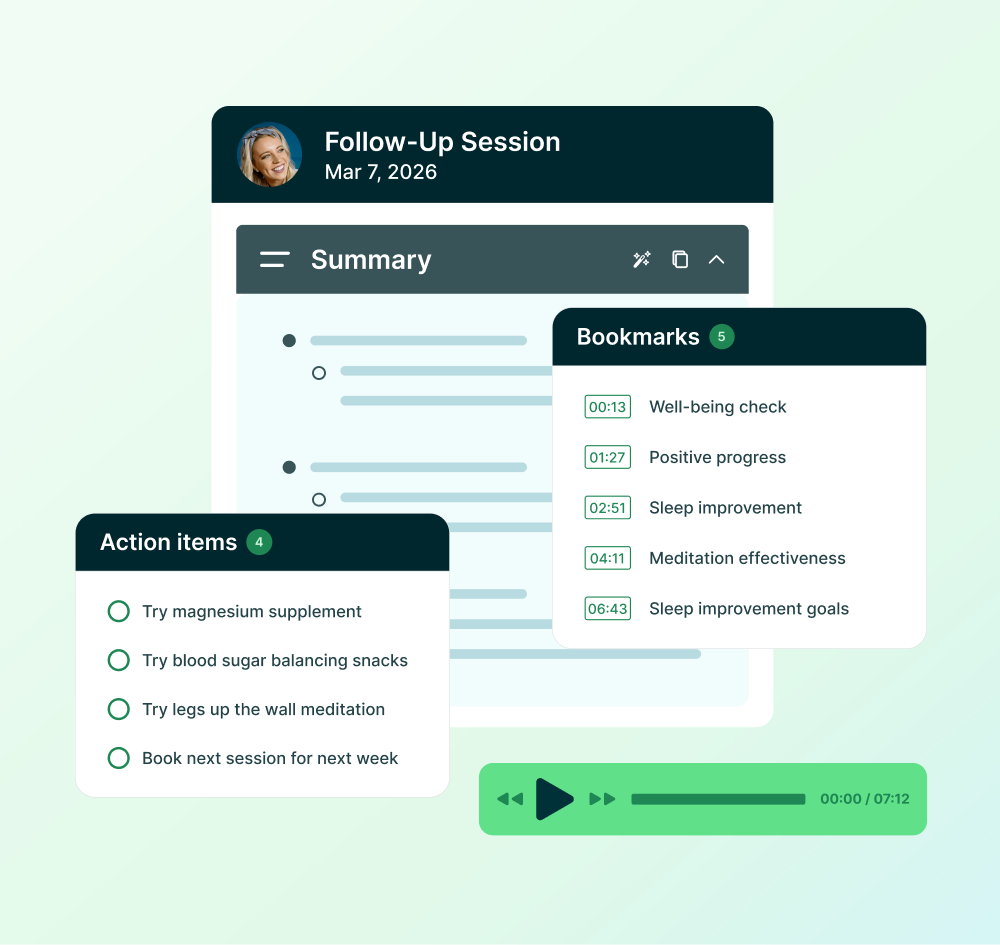
  • AI Charting Assistant (AI Summary + AI Dictation) — Records, transcribes, and summarizes sessions into clinical notes in your preferred format (Bullet, Narrative, or SOAP). Includes AI Dictation for hands-free, speech-to-text note capture.
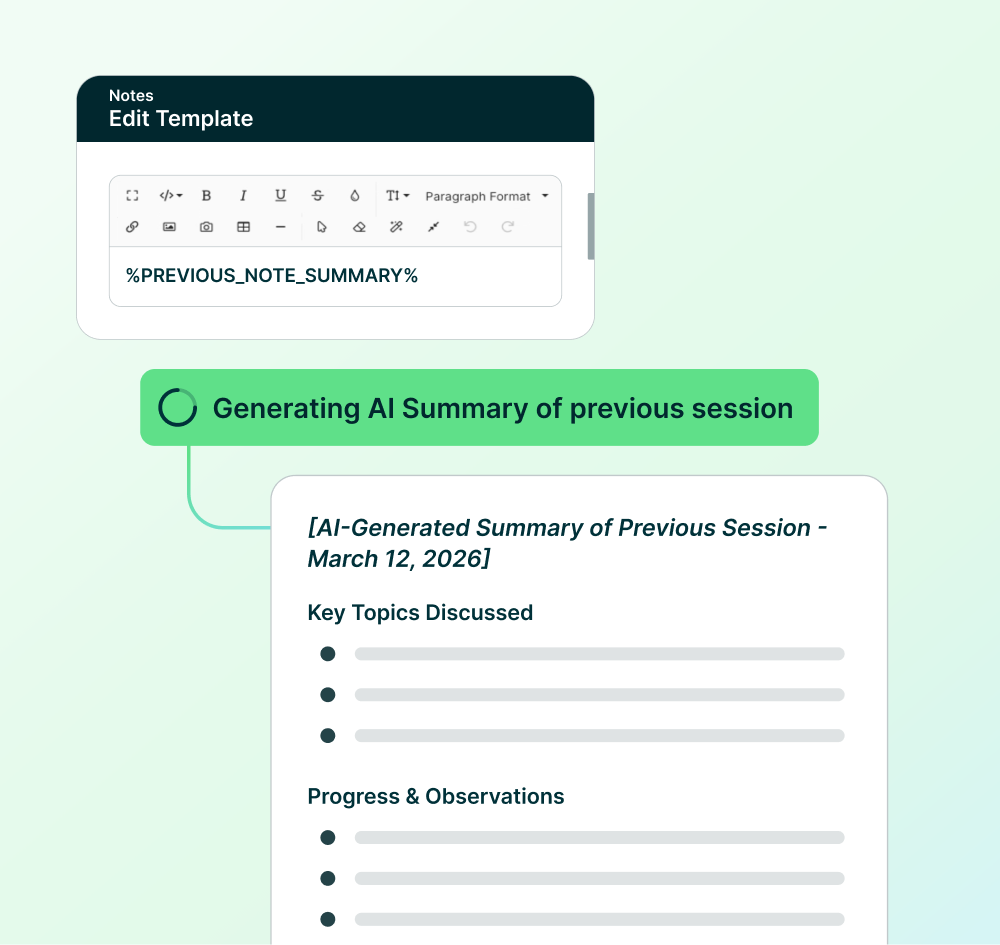
  • AI Session Prep — Add a placeholder to any note template and Practice Better will automatically summarize your last session note every time you create a new one, so you walk in prepared.
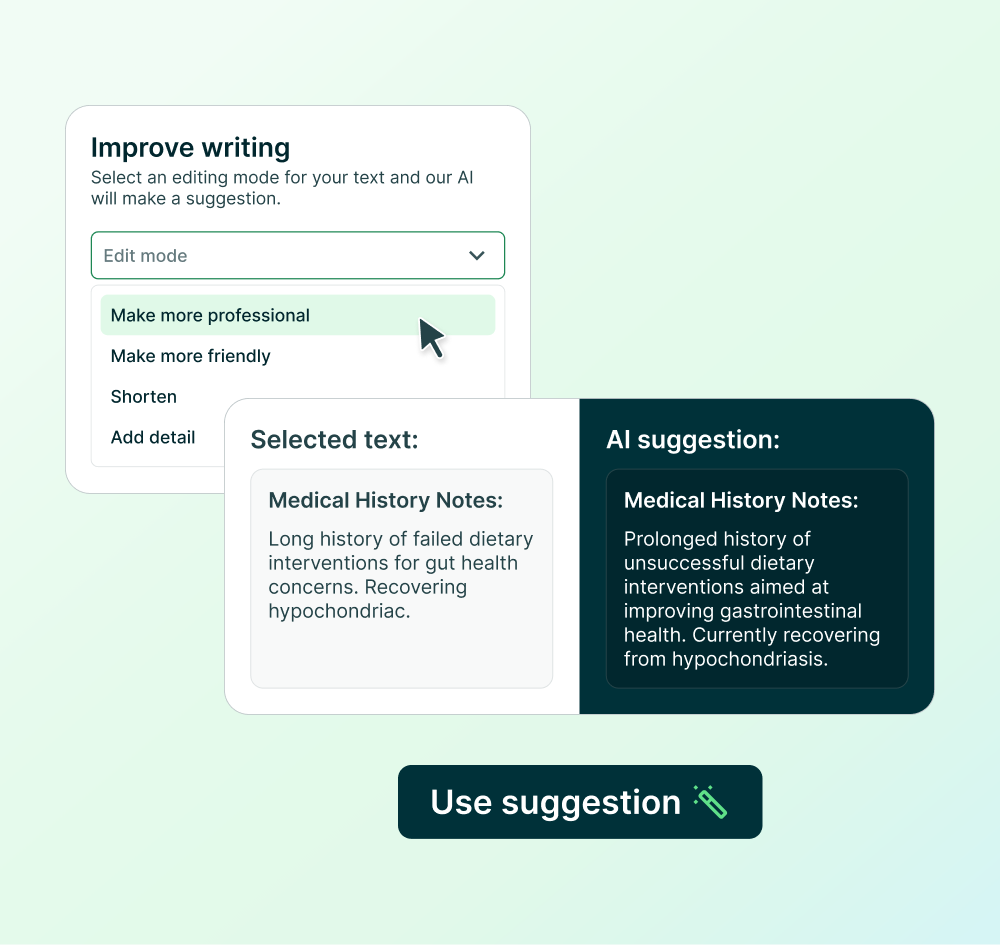
  • AI Writing Assistant — Highlight any text in a Session Note, Form, Protocol, Program, and more, and choose from five improvement options. Works across your entire Practice Better account.
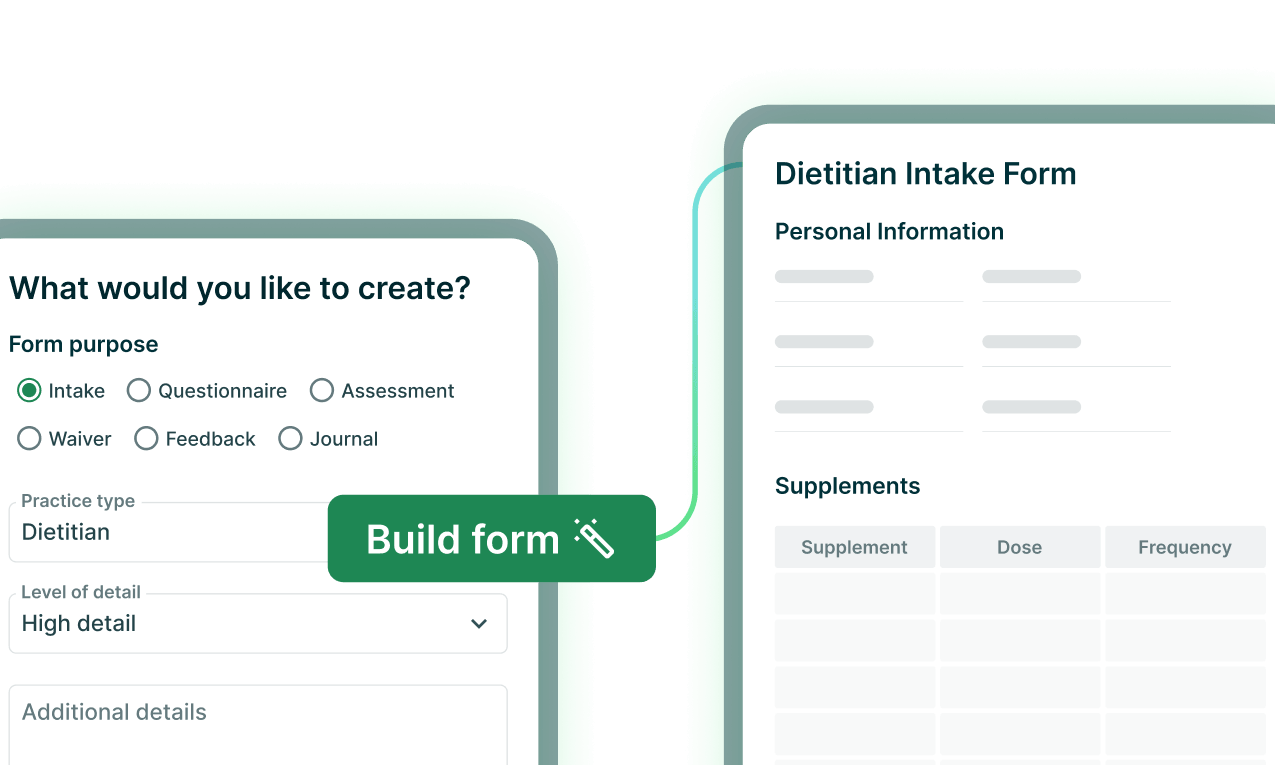
  • AI Form Builder — Generates customized intake forms, assessments, and questionnaires from a simple description, ready for you to review and publish.
  • AI Program Content Generator — Describe what you want to teach inside any Program module and get a full content draft ready to review and publish.
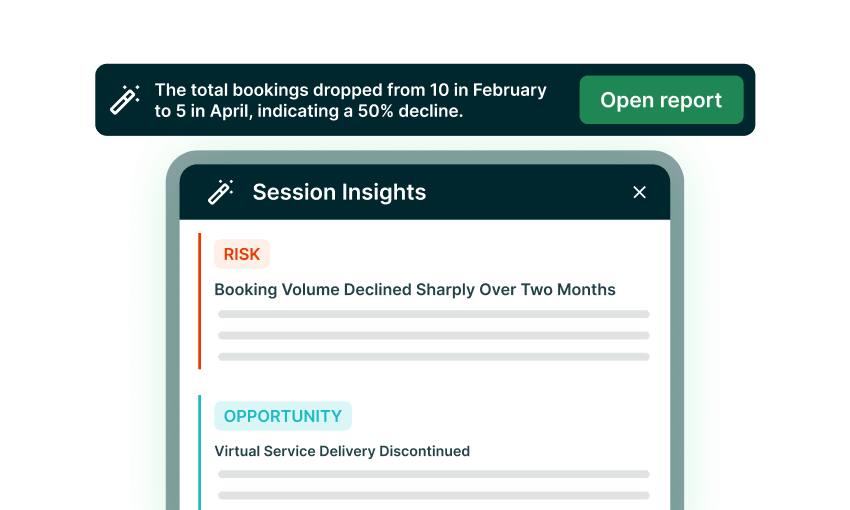
  • AI Session Insights — An AI-generated insights panel at the top of your Session History Report, surfacing trends, patterns, and risks from your practice data.
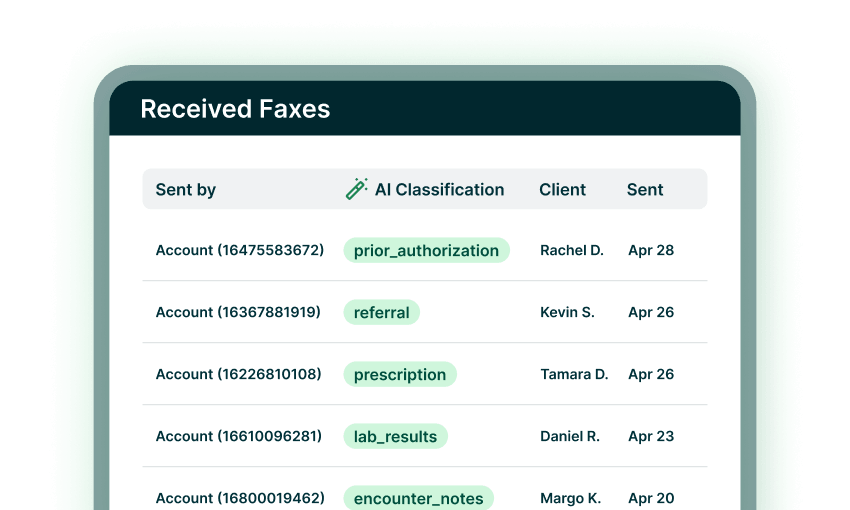
  • AI Fax Classification — Incoming faxes are automatically tagged by clinical document type and matched to the right client record, so you can triage your queue at a glance without opening every document.

All Practice Better AI features are built with HIPAA compliance and data privacy as a foundation. Your client data is never used to train AI models.

What is the AI Charting Assistant?

The AI Charting Assistant is comprised of AI Summary and AI Dictation. AI Summary records, transcribes, and summarizes Practice Better Telehealth sessions, Zoom 1:1 sessions, and in-person sessions — integrated into your Session Notes in your preferred format: Bullet, Narrative, or SOAP. AI Dictation is a speech-to-text tool that captures accurate and secure notes while you talk. Both are HIPAA-compliant.

What is AI Dictation?

AI Dictation is a speech-to-text tool built into the AI Charting Assistant that converts your spoken words into written notes in real time, no typing required. Unlike AI Summary, which records your full session and generates a structured clinical note from the transcript, AI Dictation transcribes exactly what you say as you say it, giving you direct control over your documentation. It's HIPAA-compliant and included with the AI Charting Assistant add-on, available on Starter plans and up.

What is AI Session Prep?

AI Session Prep automatically pulls a concise recap of a client's most recent session note directly into any new note you create, including key topics discussed, progress and observations, action items, and the plan from your last session. No more scrolling back through records before appointments; the context you need is already there when you open the note. It works with Session Notes written manually or with the AI Charting Assistant. On Team plans, the summary is based on your own previous Session Notes for that client. This feature is available on all paid plans.

What is the AI Writing Assistant?

The AI Writing Assistant is built directly into the rich text editor across Practice Better — in Session Notes, Forms, Protocols, Programs, and more. Select any block of text and choose from five improvement types: correct spelling and grammar, make more professional, make more friendly, shorten, or add detail. The AI shows you a suggested rewrite alongside your original so you can accept it, iterate on it, or discard it entirely. As with all AI-generated content, we recommend reviewing suggestions before using them. This feature is available on all paid plans.

What is AI Form Builder?

AI Form Builder generates a complete form or waiver in seconds from a simple description. Specify the type of form, your practice type, the level of detail, and any specific sections or questions you want included, and Practice Better produces a ready-to-customize draft. From there, you can reorder sections, add or remove questions, and adjust response formats before publishing. This feature is included on all paid plans, and anyone on your team with access to edit Forms can use it. As with all AI-generated content, review your form for accuracy and compliance with your local regulatory body before publishing. The output is a starting point, not a validated clinical questionnaire.

What is AI Program Content Generator?

AI Program Content Generator is a content generator built into the Programs feature of Practice Better. Describe the topic you want to teach — including the type of clients in your program and the level of detail you want — and Practice Better generates a full content draft you can preview and add to your module without replacing anything you've already written. As with all AI-generated content, treat it as a starting point to refine with your own clinical expertise before publishing. This feature is available on Plus plans and up for Evergreen and Self-Paced Programs, and Pro plans and up for Fixed-Date Programs.

What is AI Session Insights?

AI Session Insights adds an AI-generated insights panel to your Session History Report, surfacing patterns across your practice data that are easy to miss day-to-day. Insights are organized into three categories — Risk, Opportunity, and Issue — and can highlight, for example, revenue concentration across clients or demand trends for specific services. You can refresh the insights at any time or open a full breakdown report for more detail. This feature is available on all paid plans.

What is AI Fax Classification?

AI Fax Classification automatically reads and categorizes incoming faxes as soon as they arrive in Practice Better, tagging each one with a clinical document type — such as lab results, referral, prescription, prior authorization, or discharge summary — so you can see at a glance what's in your queue without opening every document. It also detects the patient name on the fax and matches it to an existing client record, making it easy to move the document directly into the right client's file. Tags can be adjusted at any time if you want to recategorize a fax. All fax data is handled with the same HIPAA-compliant privacy and security standards as all other clinical information in Practice Better. This feature is available on Plus plans and up. 

What makes Practice Better a strong AI charting tool?

Practice Better's AI Charting Assistant drafts clinical notes directly from your session transcript — in whatever format you document in. Rather than transcribing after the fact or switching to a separate AI tool, you get a complete draft note generated within your existing workflow. You review, edit, and save — without starting from a blank page after back-to-back clients.

How much does this AI Charting Assistant add-on cost?

You can enable this add-on if you are on the Starter plan and up. Pricing is based on usage and billed based on the number of AI credits consumed. 2 AI credits = 1 minute of AI Summary usage. Your first 600 minutes are free; after that, each AI credit costs $0.005, which translates to $0.01/min. You can estimate your cost based on your expected usage on Practice Better’s pricing page.

Does Practice Better replace a standalone AI note taker?

For most practitioners, yes. A standalone AI note taker gives you a transcript and a draft — but it's disconnected from your client records, care plans, and billing. Practice Better's AI Charting Assistant does the same drafting work and keeps it inside your practice management system, so your session notes are already attached to the right client the moment you save them.

Why would I use this add-on for telehealth if I already use Zoom AI Companion?

Practice Better's AI Charting Assistant produces summaries and action items directly inside your client-centered workflow — using your preferred note templates and integrating them into your Session Notes. You can also choose your own note format, including Narrative, Outline, and SOAP notes. The AI Charting Assistant is built specifically for health and wellness practitioners and is deeply integrated into how you run your practice.

Can I disable the AI Charting Assistant?

You can turn the AI Charting Assistant off and on as you like.

Is my data safe and secure?

Yes. The AI Charting Assistant is HIPAA, PHIPA, PIPEDA & GDPR-compliant. Your client data is never used to train AI models.

Can I share the recording and/or transcript with my clients?

Yes. You can download the audio or transcription file and share it with them directly.

What languages does the AI Charting Assistant support?

The following languages are currently supported for recording and transcription:

Chinese, Dutch, English, French, German, Hindi, Indonesian, Italian, Japanese, Korean, Portuguese, Russian, Spanish, Swedish, Turkish, and Ukrainian.

“Practice Better’s AI Charting Assistant has cut my note-taking time in half. My clients appreciate having a resource to refer back to as well; not having to remember everything or feeling the pressure to take their own notes.”
Candice Esposito
Naturopathic and Functional Medicine Doctor

Experience the platform that powers success for you and your clients

Try any paid plan free.